



"What should I sell on Uzum?" Almost every new seller starts with that question. Most look for the answer in seller chats, or pick "whatever everyone sells". The trouble is that "whatever everyone sells" already has hundreds of shops, and a newcomer simply disappears among them.
There is a more reliable way: look at the market numbers and find a small category that is growing right now and has no single owner yet. Below is the whole path on a live example. It takes about half an hour in Uzumer, and then you can repeat it for your own idea.
Our example is seasonal: girls' indoor slippers, October 2026. Sales figures in Uzumer are estimates built from Uzum's public data, and growth means "this week versus last week". The numbers don't guarantee anything, but they show you where to look.
Step 1. Find a section that is growing
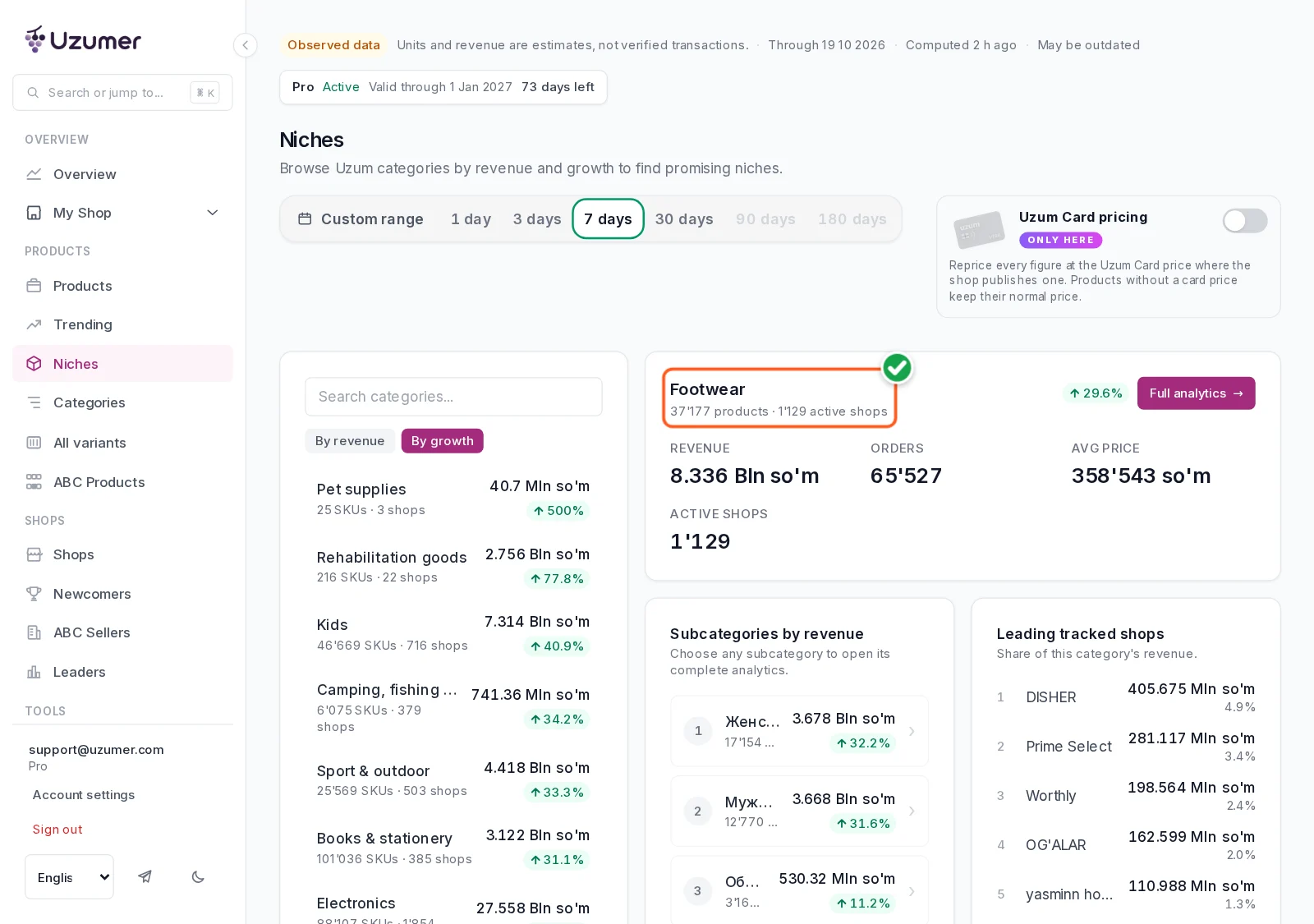
Open Niches, keep «7 days» and click «By growth». The sections whose weekly revenue grew the most move to the top.
One catch: the very first row is often misleading. If a section had almost no sales last week, a handful of orders shows up as "+500%". Look at sections with real turnover instead. Take «Footwear»: +29.6% in a week on UZS 8.3 billion of revenue. It's autumn and homes are getting colder, so the demand makes sense.
Step 2. Drill down to a small category
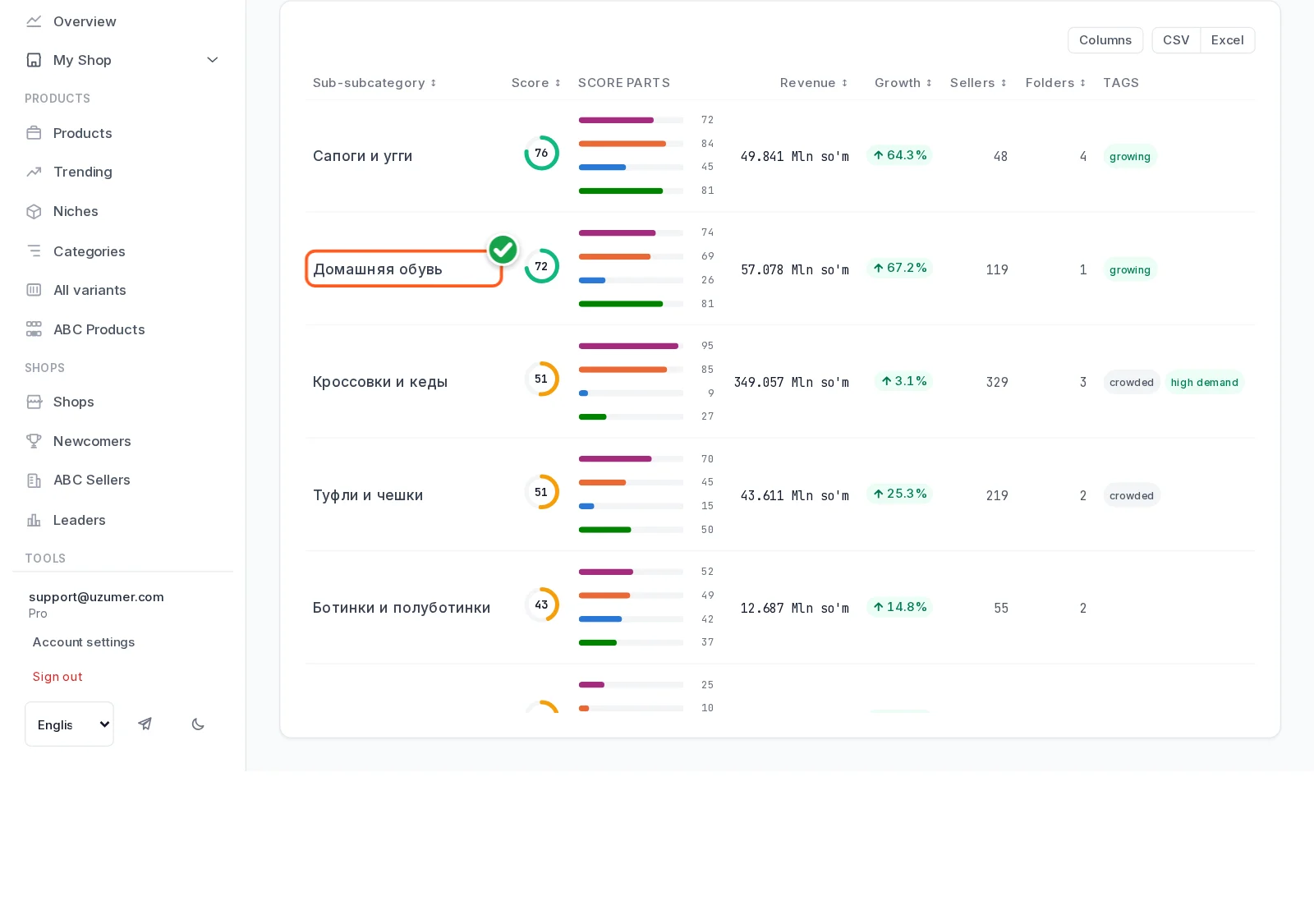
Footwear is far too big to decide anything. Open Opportunities and go down: Footwear → Girls' footwear. Here you can see which subcategories grow faster than the rest.
Sneakers bring in more money but are barely growing. Indoor footwear, on the other hand, grew +67.2% in a week: UZS 57 million in revenue and 119 sellers. That already looks like a niche: demand is rising, and the sellers number in the hundreds, not thousands.
Step 3. Check that the growth is not a fluke
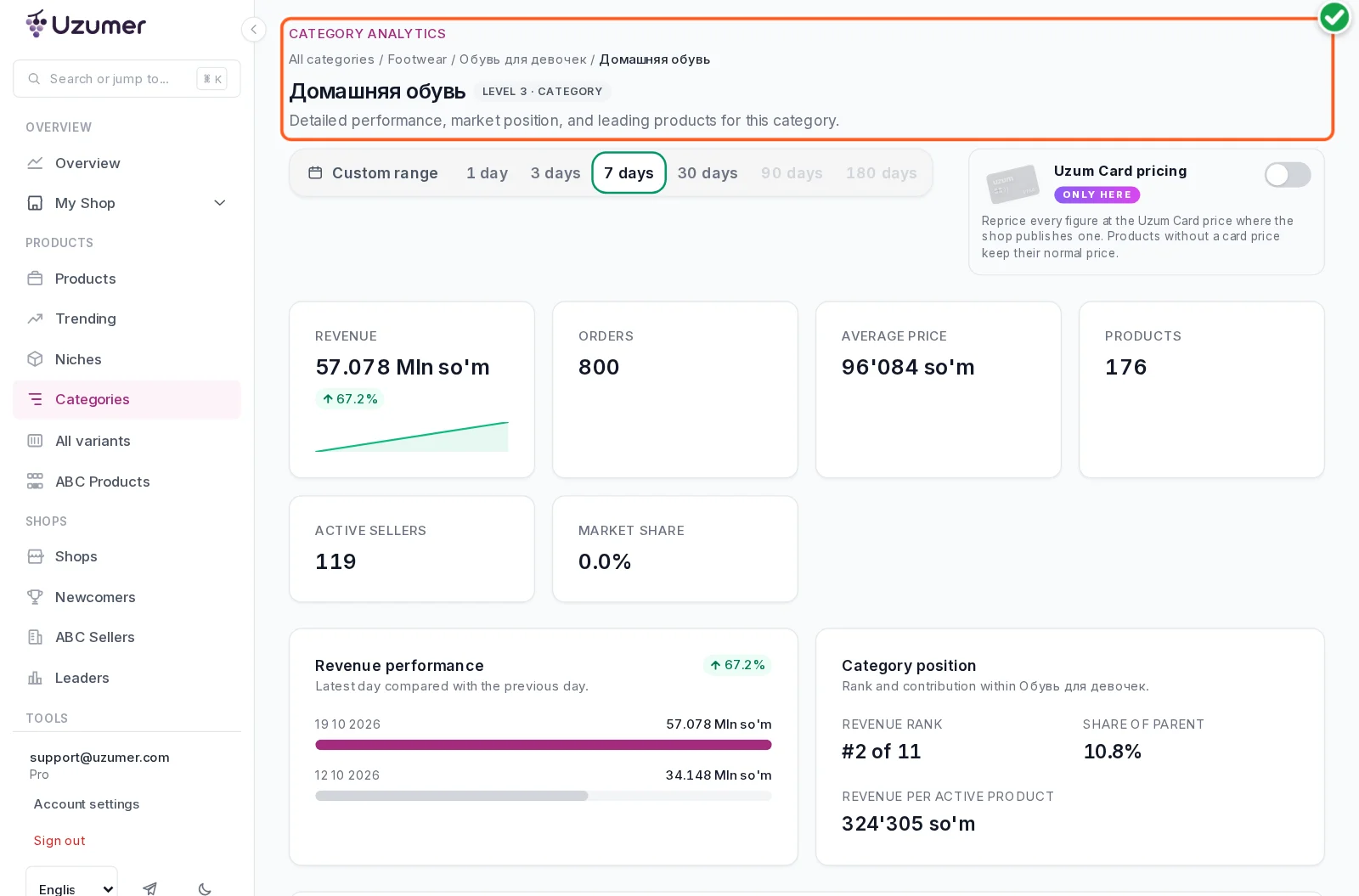
Click the row to open the category page. The key numbers: 800 pairs sold in a week, an average price of UZS 96,084, and #2 of 11 categories in girls' footwear by revenue.
Check 30 days as well: over the month the category grew +77%. So this is not one lucky week. It's a season that is just picking up.
Step 4. Make sure there is room for a newcomer
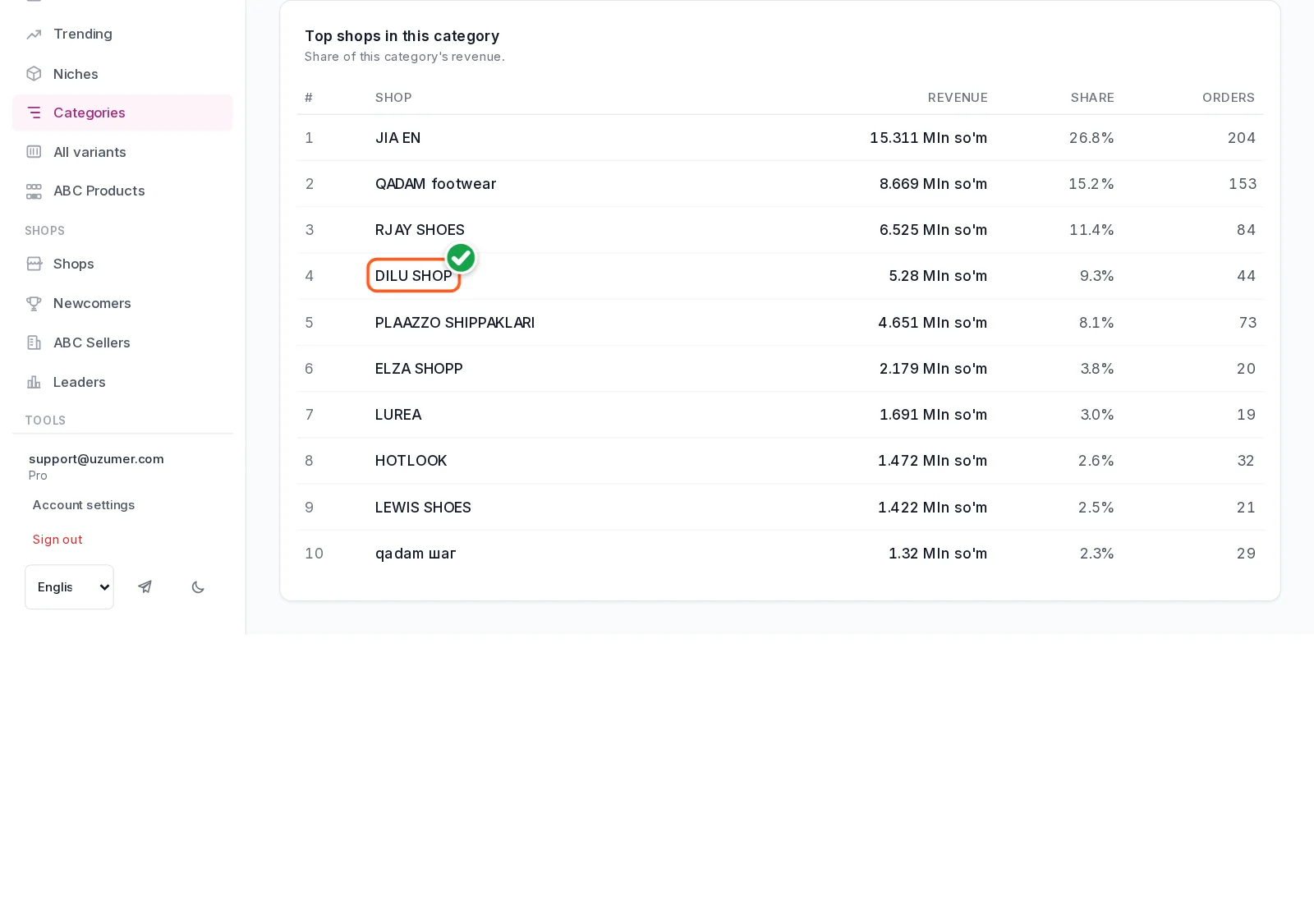
Further down the same page is «Top shops in this category». The biggest shop, JIA EN, holds about a quarter of the revenue. The top three together hold about half. No single player owns this market.
The most interesting row is DILU SHOP. It opened on 19 September, just a month ago, and it's already fourth: 9.3% of the category's revenue and 44 pairs in a week. A newcomer can get in here, and one already has.
Step 5. Look at one listing
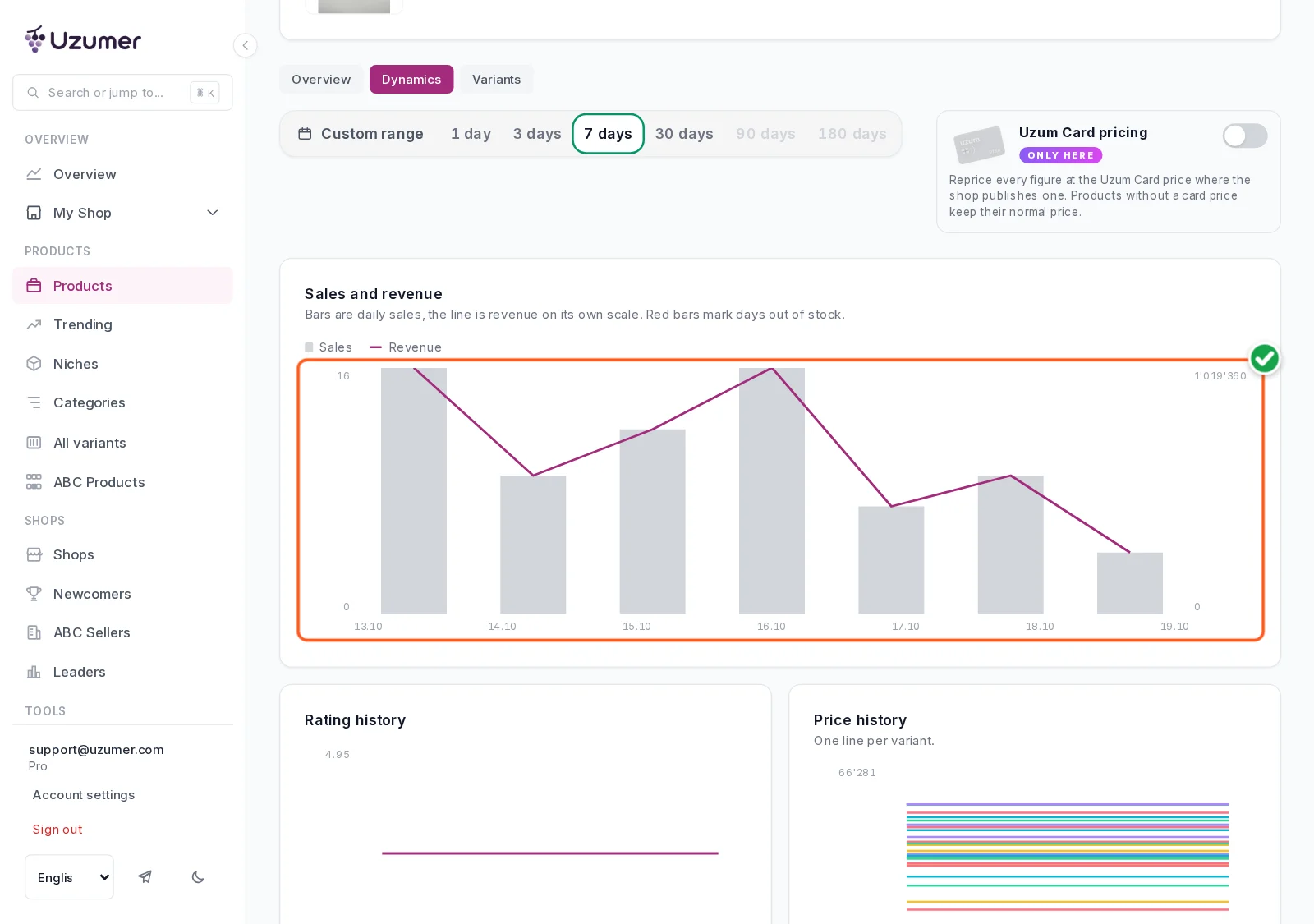
Now look at a specific product that sells. Open a listing from the top shops, the «Dynamics» tab, the «Sales and revenue» block. Our example sold 73 pairs in a week at UZS 63,710, with sales every day.
Note the reviews: this listing has 335. A new listing starts from zero, so expect slower sales in the first weeks and plan for it.
Step 6. See what buyers search for
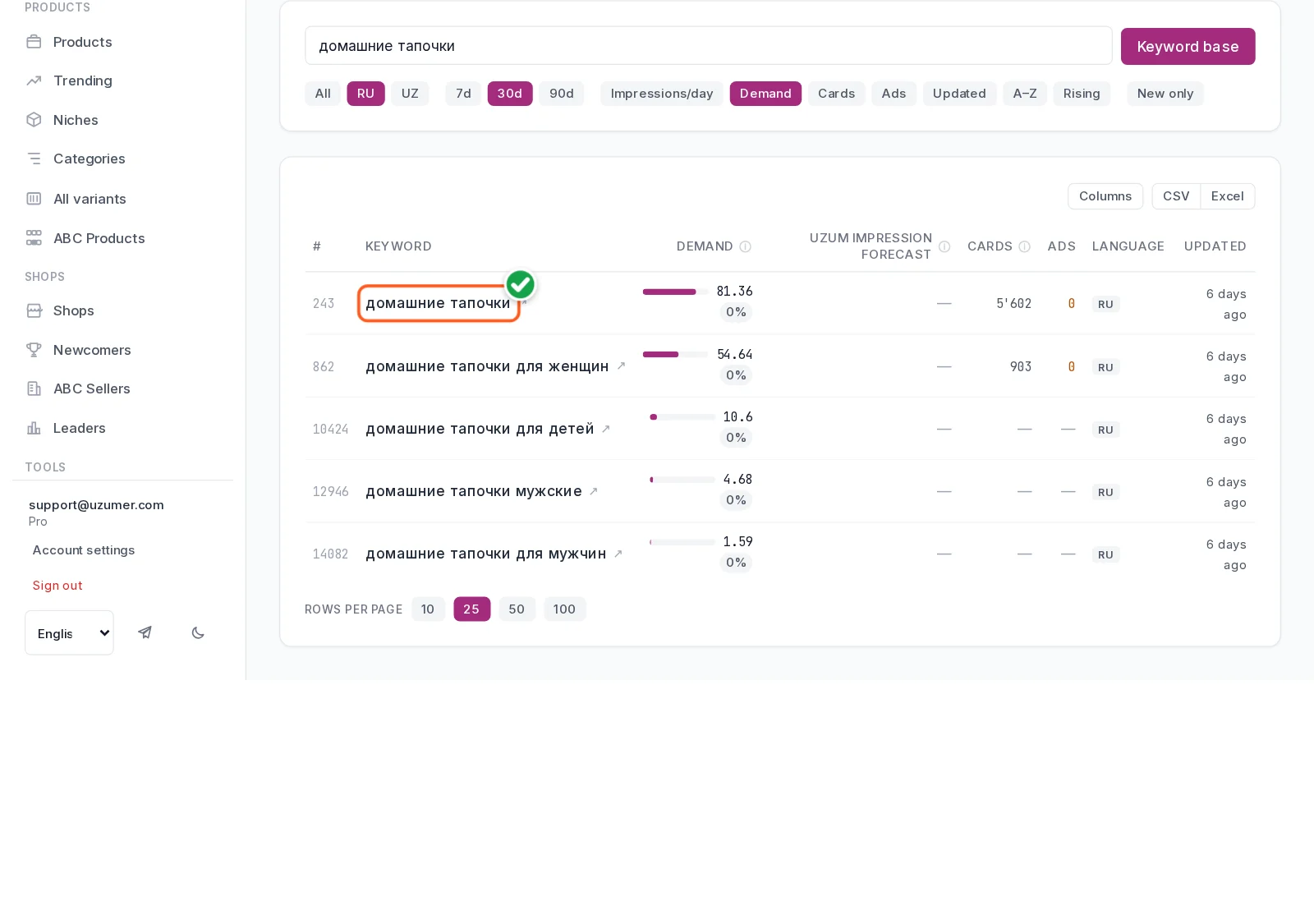
Sales show what people buy. Search shows what they want to find. Open the Keyword base, language «RU», sorted by «Demand». The query «домашние тапочки» ("indoor slippers") has a demand index of 81.36 out of 100.
Use these words in your listing's title and description: buyers find you through the phrases they type themselves.
Step 7. Work out what you keep
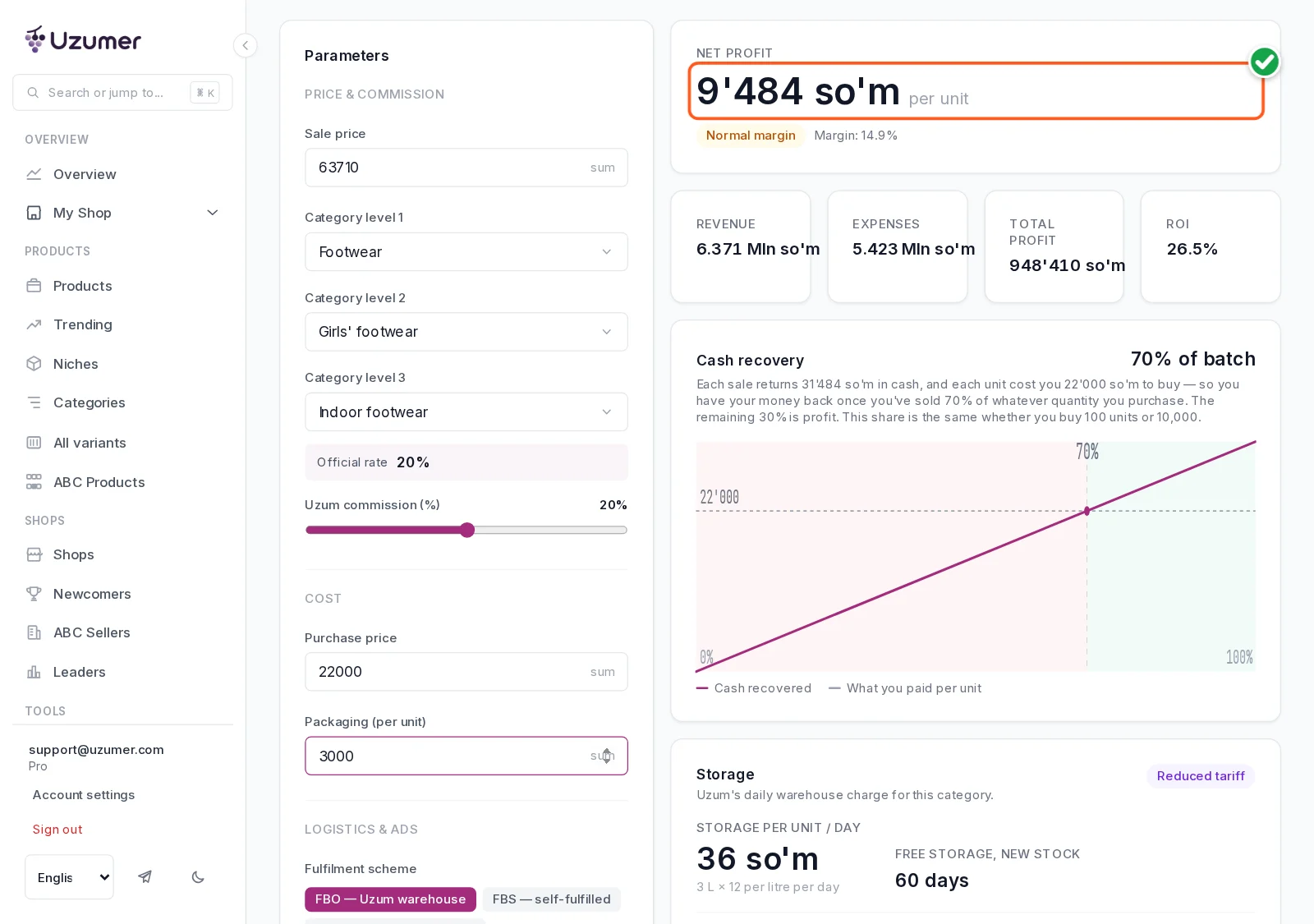
The last step, and the most important one. Open the calculator and choose the same category: Footwear → Girls' footwear → Indoor footwear. The calculator fills in Uzum's official commission for you: here it's 20%.
Enter the sale price (UZS 63,710) and your purchase cost. As an example we used a purchase price of UZS 22,000 plus UZS 3,000 for packaging and delivery to the warehouse. The calculator shows about UZS 9,484 net profit per pair, a 14.9% margin. Put in your own numbers and you'll get a different result.
What else may sell this winter
We took the same path through neighbouring categories (data for 13–19 October 2026). Each one has an upside and a risk.
Girls' indoor slippers. +67.2% in a week, 119 shops, and a newcomer already in the top four. Risk: kids' shoes get returned when the size or quality is off.
Boys' sweaters. +98.7% in a week, 116 shops. Risk: one shop holds almost a third of sales, and the commission is higher, at 25%.
Women's thick tights. +33.2% in a week, almost 1,700 pairs sold. Risk: four shops share about two thirds of the market.
Electric garlands. +85.9% in a week as New Year approaches. Risk: the season is short and monthly growth is still modest, +13.2%. Check the paperwork for electrical goods.
Men's cardigans. Big money: UZS 390 million in a week. Risk: an expensive product and a large purchase, which isn't a great first step.
Heaters. Huge turnover, but weekly growth is near zero, the product is expensive, and it needs certificates and a warranty. Not for a first product.
A short checklist
Look for a small category, not a big section.
Growth should show over both the week and the month.
The top three shops shouldn't hold almost everything.
Are there newcomers who already sell?
Calculate profit with your category's official commission.
Think about what happens when the season ends.
Try it on your own idea
Everything above is in Uzumer. Sign-up is free and comes with a 7-day trial. Take your own product idea through these seven steps. In half an hour you'll know more about it than most sellers do.
Comments0 comments
Sign in to comment
No comments yet. You can write the first one.